Master Etsy SEO & Batch Tagging with VisionBatch
Batch-tag your images for Etsy and Adobe Stock in four simple steps.
Upload Your Product Photos
Drag and drop your images into the dropzone, or click to browse your files. VisionBatch supports JPEG, PNG, and WebP formats. All images are resized locally before processing — nothing leaves your browser until you explicitly request AI analysis. Perfect for high-volume Etsy sellers and Adobe Stock contributors.

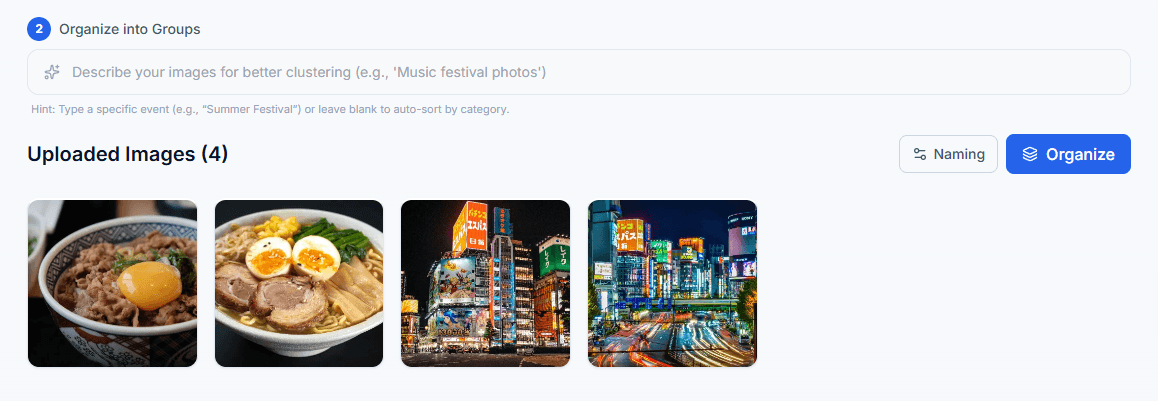
Organize into Groups
Use AI Auto-Cluster to let the AI sort similar images into groups, group everything together with one click, or go fully manual and drag images between groups yourself. Groups share titles, descriptions, and tags so you can batch-tag efficiently.
Generate AI Image Descriptions & SEO Keywords
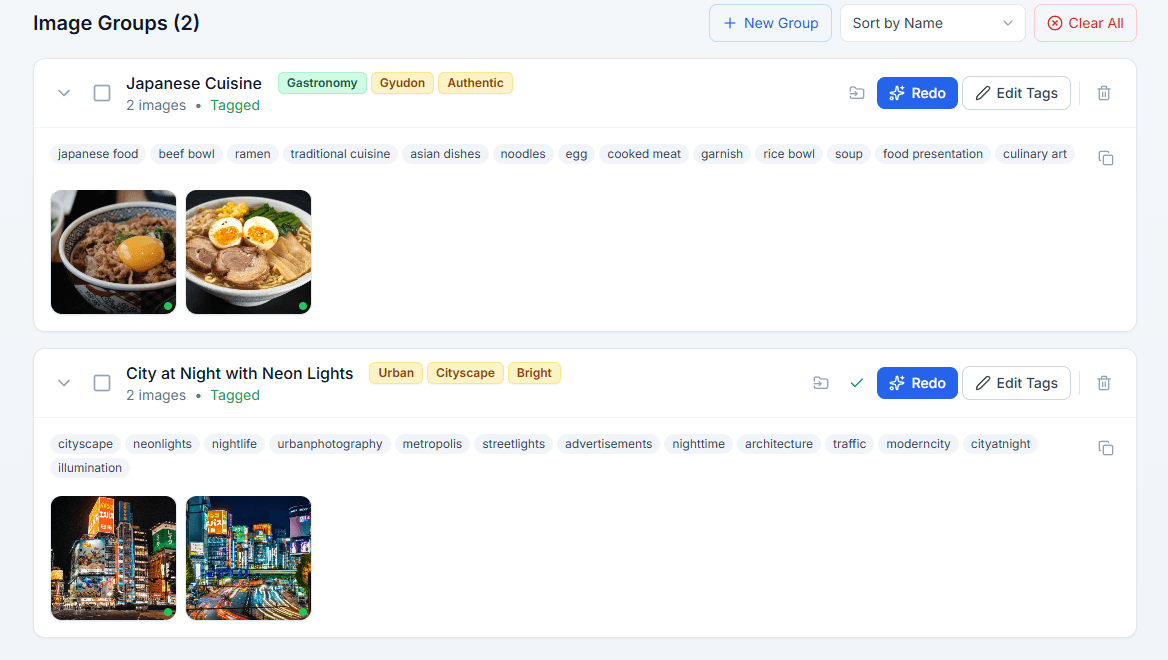
Click the "Tag" button on any group to generate an optimized title and keyword tags using AI vision. Tags are tailored to your chosen marketplace (Etsy or Adobe Stock). You can edit, reorder, add, or remove tags before exporting. Our AI vision model analyzes your products to create hyper-relevant Etsy SEO tags that drive organic traffic.
Automatic IPTC/XMP Metadata Embedding
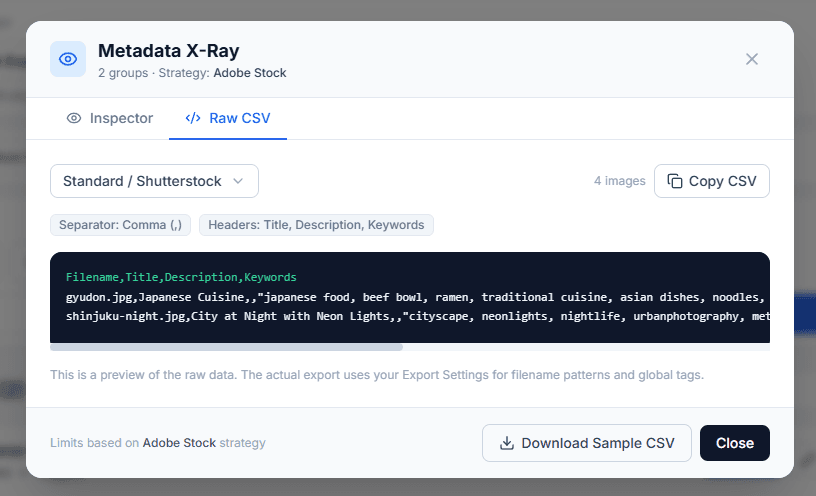
When you export, VisionBatch writes your titles and tags directly into each image's IPTC/XMP metadata. This means Etsy and Adobe Stock can read the keywords automatically when you upload — no manual copy-pasting required. You can also export as a CSV spreadsheet for bulk upload tools. VisionBatch solves the manual data-entry problem by embedding tags directly into your files for instant Etsy upload recognition.